Showing posts with label internet. Show all posts
Showing posts with label internet. Show all posts
Wednesday, May 02, 2007
Friday, April 27, 2007
Planet Gmail
WARNING: Geek Alert
What is strange about this screen shot from my gmail inbox?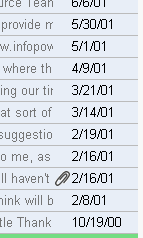 The email dates are old. Really old. In fact so old they are from before Gmail was even invented.
As mentioned earlier, after a bit of searching, I have found out a way to put all my old Microsoft Outlook based emails on Gmail - but not only that, have them stored with the correct delivery date and original sender information.
Some people may not care about the significance of this, some will be put to sleep by it, others will find this information ecstaticly exciting and useful. For those 3 people out there, here are the steps to do it...
1. Use Outlook to open your old mail file (if you use Outlook Express, skip this step)
What you need to do here is have a clean out and a tidy up, if you haven't already. In Gmail, you will have to adopt the 'search not sort' mentality, so any folders in Outlook will need to be replaced with labels in Gmail. (But that's ok. I Gmail a message can have more than one label. With folders, it's either in the folder or not.)
Once all clean and tidy, you can close Outlook. For good.
2. Open Outlook Express
Use the menu to import your mail from MS Outlook. It's a reasonbly fast process, and may seem unnecessary, but later steps work faster if Outlook mail is converted to Outlook Express.
3. Install a local host mail server
Yeah yeah, I know, this kinda freaked me out too, having never done this stuff before. But, it was pretty easy using Macallan Mail Server (free). Make sure you go into the users tab and create yourself a mailbox, and assign a password. Takes a few minutes to do this whole step (seriously).
4. Install Mozilla Thunderbird
From the people who brought you Firefox, here is Thunderbird, a free email front end. Once you have Thunderbird installed, you need to download the redirect extension. Install the extension to Thunderbird by going Tools>Add-ons>Install, and browse to the redirect extension and install it.
You then need to add the mailbox you created on the mail server to Thunderbird in the accounts setup.
5. Import Outlook Express emails into Thunderbird
This is pretty straight forward. Tools>import>outlook express. Takes a short time to process.
Pretty soon we will be uploading emails from thruderbird to the web.
6. Create a temporary Gmail account
If you upload your emails directly to you main Gmail, you'll find the 'received date' will be wrong. It will be the actual date (i.e. now) your main Gmail received it.
But, if you upload your emails to a temporary Gmail account, and then use Gmail's Mailfetcher to POP them over to your main Gmail account then miraculously the dates are corrected back to the original.
So, create a temporary Gmail account, and in settings>Forwarding and POP: enable POP for all mail. Also, select the 'delete Gmail's copy' so it's really easy to see if there are any remaining emails in the temporary account that need to be retrieved by the main Gmail.
7. Upload old email
Go into Thunderbird and select a folder to upload. (It's highly recommended to upload your old emails in folder lots so you can easily create lables for them in Gmail once they have arrived. Then repeat the upload process for another folder.)
Anyway, open a folder, and select ALL emails in it. Choose Message>Redirect and enter the email address of your temporary Gmail account.
I'd suggest you practice with a small folder first.
The redirect(upload) step may take some time, depending on your upstream speed on your internet connection. It's the sort of thing you can let churn away while you sleep.
8. Retrieve old email from temporary Gmail account to main Gmail account.
If you log into your temporary gmail account, you should see your uploaded emails (give it time, of course). Go into your spam folder and select>ALL and hit the "Not Spam" button. For some reason about half of my uploaded mail ended up in the spam folder (maybe the old date confuses it or something).
Once you have all your uploaded emails (remember just one folder worth) in your temporary Gmail account inbox, we can do the last part.
Log into your main Gmail account (I find it easier to use different browsers for each, like IE for my temp gmail and Firefox for my main gmail) .
Go to settings>accounts>get email from other accounts.
Click Add account, and put in your temporary gmail account details here. You should just need to add the login ID and password, and leave the other settings as they are.
Click save settings.
Now, your main Gmail account will periodically check your temporary Gmail account and retrieve any messages from the inbox. Generally, it will do it in 200 email batches every so often, but you can go into the accounts page and force more checks.
9. Tidy up and label Old emails
Your main gmail account will be receiving the old emails in it's inbox. Once again, you have to also check your spam folder and move those emails to inbox also. (it pays to empty out your spam folders before doing all this)
Once done, you will see Inbox(125) or similar in bold, indicating unread emails, but this time your inbox has been correctly sorted with the original sent date. This means you have to click on 'oldest' to see them.
An easier way is to use 'search options' up the top, and choose 'Search: unread' and hit search without any other criteria. Select ALL messages, and then the 'Choose ALL'
Label these mails according to the folder name. Then select 'mark as read', and then select 'None'.
That's it. If you now go and have a look, your old emails are now in Gmail in the exact format they would be if they were sent there years ago. The dates are correct, as is the sender info etc etc.
Repeat steps 7-9 with each folder, allowing enough time for the emails to travel to their destination before continuing.
Yes it takes time, but once each folder is set going you can leave it.
Gmail Archive
Once you have got all your old emails in your main gmail account, you may like to archive them. You can select whichever mails you would like to archive using lables or searchs, and then hit the 'Archive' button.
This will remove them from the main inbox view, but they will still be searchable. If you need to browse thru archived mail, just select 'All Mail' on the left.
If you are super paranoid, you can periodically use a Gmail archive utility to download a copy of your mails to burn to a DVD....or you can use the POP facility to download to a HDD.....or you can use the mail fetcher to put a copy onto an second 'archive' gmail. (just select 'leave a copy in my inbox' on your mail gmail...ha)
Enjoy.
This post was only made possible with information I found here (the mail server thing),
and here(the temporary gmail account concept)
What is strange about this screen shot from my gmail inbox?
 The email dates are old. Really old. In fact so old they are from before Gmail was even invented.
As mentioned earlier, after a bit of searching, I have found out a way to put all my old Microsoft Outlook based emails on Gmail - but not only that, have them stored with the correct delivery date and original sender information.
Some people may not care about the significance of this, some will be put to sleep by it, others will find this information ecstaticly exciting and useful. For those 3 people out there, here are the steps to do it...
1. Use Outlook to open your old mail file (if you use Outlook Express, skip this step)
What you need to do here is have a clean out and a tidy up, if you haven't already. In Gmail, you will have to adopt the 'search not sort' mentality, so any folders in Outlook will need to be replaced with labels in Gmail. (But that's ok. I Gmail a message can have more than one label. With folders, it's either in the folder or not.)
Once all clean and tidy, you can close Outlook. For good.
2. Open Outlook Express
Use the menu to import your mail from MS Outlook. It's a reasonbly fast process, and may seem unnecessary, but later steps work faster if Outlook mail is converted to Outlook Express.
3. Install a local host mail server
Yeah yeah, I know, this kinda freaked me out too, having never done this stuff before. But, it was pretty easy using Macallan Mail Server (free). Make sure you go into the users tab and create yourself a mailbox, and assign a password. Takes a few minutes to do this whole step (seriously).
4. Install Mozilla Thunderbird
From the people who brought you Firefox, here is Thunderbird, a free email front end. Once you have Thunderbird installed, you need to download the redirect extension. Install the extension to Thunderbird by going Tools>Add-ons>Install, and browse to the redirect extension and install it.
You then need to add the mailbox you created on the mail server to Thunderbird in the accounts setup.
5. Import Outlook Express emails into Thunderbird
This is pretty straight forward. Tools>import>outlook express. Takes a short time to process.
Pretty soon we will be uploading emails from thruderbird to the web.
6. Create a temporary Gmail account
If you upload your emails directly to you main Gmail, you'll find the 'received date' will be wrong. It will be the actual date (i.e. now) your main Gmail received it.
But, if you upload your emails to a temporary Gmail account, and then use Gmail's Mailfetcher to POP them over to your main Gmail account then miraculously the dates are corrected back to the original.
So, create a temporary Gmail account, and in settings>Forwarding and POP: enable POP for all mail. Also, select the 'delete Gmail's copy' so it's really easy to see if there are any remaining emails in the temporary account that need to be retrieved by the main Gmail.
7. Upload old email
Go into Thunderbird and select a folder to upload. (It's highly recommended to upload your old emails in folder lots so you can easily create lables for them in Gmail once they have arrived. Then repeat the upload process for another folder.)
Anyway, open a folder, and select ALL emails in it. Choose Message>Redirect and enter the email address of your temporary Gmail account.
I'd suggest you practice with a small folder first.
The redirect(upload) step may take some time, depending on your upstream speed on your internet connection. It's the sort of thing you can let churn away while you sleep.
8. Retrieve old email from temporary Gmail account to main Gmail account.
If you log into your temporary gmail account, you should see your uploaded emails (give it time, of course). Go into your spam folder and select>ALL and hit the "Not Spam" button. For some reason about half of my uploaded mail ended up in the spam folder (maybe the old date confuses it or something).
Once you have all your uploaded emails (remember just one folder worth) in your temporary Gmail account inbox, we can do the last part.
Log into your main Gmail account (I find it easier to use different browsers for each, like IE for my temp gmail and Firefox for my main gmail) .
Go to settings>accounts>get email from other accounts.
Click Add account, and put in your temporary gmail account details here. You should just need to add the login ID and password, and leave the other settings as they are.
Click save settings.
Now, your main Gmail account will periodically check your temporary Gmail account and retrieve any messages from the inbox. Generally, it will do it in 200 email batches every so often, but you can go into the accounts page and force more checks.
9. Tidy up and label Old emails
Your main gmail account will be receiving the old emails in it's inbox. Once again, you have to also check your spam folder and move those emails to inbox also. (it pays to empty out your spam folders before doing all this)
Once done, you will see Inbox(125) or similar in bold, indicating unread emails, but this time your inbox has been correctly sorted with the original sent date. This means you have to click on 'oldest' to see them.
An easier way is to use 'search options' up the top, and choose 'Search: unread' and hit search without any other criteria. Select ALL messages, and then the 'Choose ALL'
Label these mails according to the folder name. Then select 'mark as read', and then select 'None'.
That's it. If you now go and have a look, your old emails are now in Gmail in the exact format they would be if they were sent there years ago. The dates are correct, as is the sender info etc etc.
Repeat steps 7-9 with each folder, allowing enough time for the emails to travel to their destination before continuing.
Yes it takes time, but once each folder is set going you can leave it.
Gmail Archive
Once you have got all your old emails in your main gmail account, you may like to archive them. You can select whichever mails you would like to archive using lables or searchs, and then hit the 'Archive' button.
This will remove them from the main inbox view, but they will still be searchable. If you need to browse thru archived mail, just select 'All Mail' on the left.
If you are super paranoid, you can periodically use a Gmail archive utility to download a copy of your mails to burn to a DVD....or you can use the POP facility to download to a HDD.....or you can use the mail fetcher to put a copy onto an second 'archive' gmail. (just select 'leave a copy in my inbox' on your mail gmail...ha)
Enjoy.
This post was only made possible with information I found here (the mail server thing),
and here(the temporary gmail account concept)

Safekeeping
Warning: GEEK ALERT
My mission is to get ALL on the stuff I care about OFF my computer.
I am in the process of putting all my MP3s, Photos and Videos (mainly AVI copies of my DVDs) onto Network Storage device (AKA Portable hard drive hooked up to my home network). That way, PC's on my home network(up to 4: [1 decent one,1 semi decent, 2 shitters] in various places now) can access that stuff, which is pretty handy (think: choosing a DVD to watch in bed on the laptop wirelessly, accessing the whole MP3 library wirelessly, sharing some photos on the TV etc etc - all at the same time.)
So that is the media taken care of. What about emails? MS Outlook famously sucks at not easily allowing multiple machines to access a single Outlook account. I decided that online mail WOULD allow multi location (simultaneously if needed)access to a common email account, which is just one reason I have converted the whole Truant house to Gmail.
I have been raving about Gmail for a while and after 18 months or so of using it I am convinced that it's actually safer to keep stuff like emails and documents online as opposed to locally on your own computer. The main advantages for me is now I don't need to worry about backing up my data if/when my PC crashes. Sure, I could run RAID and be more diligent with backing up stuff, but after a while having DVDs of data sitting around isn't exactly ideal either - you could lose it, or it could fall into the wrong hands. Anyway, I digress.
But what about the OLD outlook emails? Wouldn't it be nice to put them on my Gmail so I can really get rid of all that old stored stuff?
After a bit of investigation I found out how to do it. I mean properly, not some half assed 'forwarding' type of solution.
My mission is to get ALL on the stuff I care about OFF my computer.
I am in the process of putting all my MP3s, Photos and Videos (mainly AVI copies of my DVDs) onto Network Storage device (AKA Portable hard drive hooked up to my home network). That way, PC's on my home network(up to 4: [1 decent one,1 semi decent, 2 shitters] in various places now) can access that stuff, which is pretty handy (think: choosing a DVD to watch in bed on the laptop wirelessly, accessing the whole MP3 library wirelessly, sharing some photos on the TV etc etc - all at the same time.)
So that is the media taken care of. What about emails? MS Outlook famously sucks at not easily allowing multiple machines to access a single Outlook account. I decided that online mail WOULD allow multi location (simultaneously if needed)access to a common email account, which is just one reason I have converted the whole Truant house to Gmail.
I have been raving about Gmail for a while and after 18 months or so of using it I am convinced that it's actually safer to keep stuff like emails and documents online as opposed to locally on your own computer. The main advantages for me is now I don't need to worry about backing up my data if/when my PC crashes. Sure, I could run RAID and be more diligent with backing up stuff, but after a while having DVDs of data sitting around isn't exactly ideal either - you could lose it, or it could fall into the wrong hands. Anyway, I digress.
But what about the OLD outlook emails? Wouldn't it be nice to put them on my Gmail so I can really get rid of all that old stored stuff?
After a bit of investigation I found out how to do it. I mean properly, not some half assed 'forwarding' type of solution.
Monday, January 22, 2007
How to: Picture Signature in Gmail
Gmail seems to be the wonder email program, for me at least.
I like the fact that it's online, so it's automatically backed up/archived online without me ever having to stress out about my pc crashing or losing contacts etc etc.
It's also great for being able to log into from multiple machines anywhere on earth and do emailing (try doing that with Outlook)
It just gets better and better, but there is one thing that Gmail has been lacking since day one: HTML authoring or embedded picture signatures. Or HAS it been lacking????
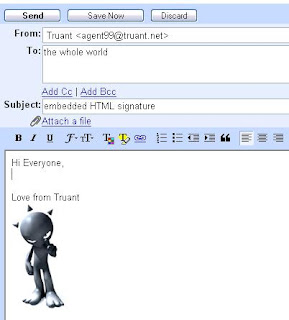
So, here is the solution:
Firstly the set up.
1. Host a picture online. Make sure it isn't too big and host it at photobucket or imageshack or flickr etc, or put it on your own domain somewhere
2. Use a text editor such as notepad or wordpad (or a WYSIWYG editor like Dreamweaver, front page or Google Page Creator) to create an html file.
If you have never done that before, in XP go: start>programs>Accessories>Notepad
Put this code into the editor:

Then save the file to your desktop as "my_signature_file.html"
How to use it?
Once you have this file, whenever you want to embed this signature pic to a new email, just open the file, and use your mouse to select and drag the picture over to your new gmail window.
Another way is to open the file then ctrl-A (or edit>select all), then ctrl-C (or edit>copy) and then go to your gmail window and ctrl-V (or edit>paste)
That's it. Oh by the way, if you want to include some text in the html file along with the picture, that is not a problem and it will all come over together.
Wanna know a dirty little secret? You can also drag ANY image from ANY website. How about THAT!!
I like the fact that it's online, so it's automatically backed up/archived online without me ever having to stress out about my pc crashing or losing contacts etc etc.
It's also great for being able to log into from multiple machines anywhere on earth and do emailing (try doing that with Outlook)
It just gets better and better, but there is one thing that Gmail has been lacking since day one: HTML authoring or embedded picture signatures. Or HAS it been lacking????

So, here is the solution:
Firstly the set up.
1. Host a picture online. Make sure it isn't too big and host it at photobucket or imageshack or flickr etc, or put it on your own domain somewhere
2. Use a text editor such as notepad or wordpad (or a WYSIWYG editor like Dreamweaver, front page or Google Page Creator) to create an html file.
If you have never done that before, in XP go: start>programs>Accessories>Notepad
Put this code into the editor:

Then save the file to your desktop as "my_signature_file.html"
How to use it?
Once you have this file, whenever you want to embed this signature pic to a new email, just open the file, and use your mouse to select and drag the picture over to your new gmail window.
Another way is to open the file then ctrl-A (or edit>select all), then ctrl-C (or edit>copy) and then go to your gmail window and ctrl-V (or edit>paste)
That's it. Oh by the way, if you want to include some text in the html file along with the picture, that is not a problem and it will all come over together.
Wanna know a dirty little secret? You can also drag ANY image from ANY website. How about THAT!!
Friday, January 19, 2007
Living Homes
Wow. It's not that often that a website blows me.....away, but here it is: Living Homes.net
 It's another modular building company, but as you'll see these guys are hitting it hard. Serious eco responsibility theme going on here. This is architecture, design and technology blended together perfectly. Awesome.
Go and check out that website tho, seriously. It's really cool. The front page is made up of timelapsed sequences showing the house through out the day.
There is a video showing a cool time lapse sequence of the house being erected on the site in 8 hrs.
It worth having a poke around at other things, particularly take the tour.
LivingHomes.net
 It's another modular building company, but as you'll see these guys are hitting it hard. Serious eco responsibility theme going on here. This is architecture, design and technology blended together perfectly. Awesome.
Go and check out that website tho, seriously. It's really cool. The front page is made up of timelapsed sequences showing the house through out the day.
There is a video showing a cool time lapse sequence of the house being erected on the site in 8 hrs.
It worth having a poke around at other things, particularly take the tour.
LivingHomes.net
Monday, December 04, 2006
Buy some Uranium online
 Not to be outdone by my previous post about how impressive the web has become, how about this: http://unitednuclear.com
Buy some radioactive material for the hell of it. I bet Osama is pissed off he can't get a Credit Card....but wait, they take paypal.
To be fair, I just noticed that this website will not ship outside of the US, which is really lucky for the rest of us at least that the US has narrowed down a safe haven to sell uranium and other radioactive material. There are obviously no idiots living in the land of the free.
The site has a disclaimer:
Because our products can be potentially hazardous in the wrong hands, we will occasionally terminate & refund orders if we feel you are juvenile posing as an adult, inexperienced with the materials ordered, or using our products to make any sort of explosive device.
That makes me feel all warm inside. How about you?
Friday, November 17, 2006
Labels
OK. Being the OCD idiot that eye yam, it took me some time to sort out blogging software cos I wanted categories, and at the time, blogger didn't have anything other than some search type hack that I found on some geek's site.
Anyway, Blogger have finally got with the program and have introduced Blogger Beta, complete with categories. They also have made managing a blog a whole shitload easier.
If you are thinking about going for the upgrade (it's free of course) then just do it. It's also integrated with the best web based email system available today: "bigbrotherG" mail.
And then if you really are OCD, you can go back and edit each post to add the labels. Then, it's easier for your stalkers to read all about you. See? ->
Oh, I do hate the layout of this brog also, if you were wondering. So I will do a revamp at some point soon. I know everyone is excited about that.
Anyway, Blogger have finally got with the program and have introduced Blogger Beta, complete with categories. They also have made managing a blog a whole shitload easier.
If you are thinking about going for the upgrade (it's free of course) then just do it. It's also integrated with the best web based email system available today: "
And then if you really are OCD, you can go back and edit each post to add the labels. Then, it's easier for your stalkers to read all about you. See? ->
Oh, I do hate the layout of this brog also, if you were wondering. So I will do a revamp at some point soon. I know everyone is excited about that.
Wednesday, November 08, 2006
Best Inventions of 2006
I have been incredibly busy lately, so apologies for not blogging. (well actually I haven't been that busy, but ya know how sometimes you look at the calendar and realise it's a month later than you thought?)
Here is a pretty interesting read:
http://www.time.com/time/2006/techguide/bestinventions/
Here is a pretty interesting read:
http://www.time.com/time/2006/techguide/bestinventions/

Thursday, September 21, 2006
Interesting 9/11 opinion
OK,OK I will try to not let conspiracy theories get too much more mention.....
A friend sent me this link to a youtube clip about a 9/11 theory. It's pretty interesting.
Here is the full 90min Documentary that clip was taken from:
Full length, High Quality 9/11 Mysteries Documentary
It's on Google video, which btw is better that you tube.
I just watched it, and I can't help thinking I wonder how long it will be before this is either blown wide apart, or explained....it's got to be one or the other, surely.
categories: [interests_][internet_][movies/TV_]
A friend sent me this link to a youtube clip about a 9/11 theory. It's pretty interesting.
Here is the full 90min Documentary that clip was taken from:
Full length, High Quality 9/11 Mysteries Documentary
It's on Google video, which btw is better that you tube.
I just watched it, and I can't help thinking I wonder how long it will be before this is either blown wide apart, or explained....it's got to be one or the other, surely.
categories: [interests_][internet_][movies/TV_]
Monday, September 11, 2006
Conspiracy Theories continued....
I told you not to get me started....
Following on from the previous Blog, here is an interesting short video about 9/11.
Following on from the previous Blog, here is an interesting short video about 9/11.
Thursday, September 07, 2006
Conspiracy Theories
No one likes a good Conspiracy Theory more than I do. In fact, it's best you don't get me started cos it's one of those things I can talk about for hours.

Some of the more common conspiracy theories are the JFK Assasination, the Fake Moon Landing, 9-11 , The Da Vinci code, UFOs, The Iraq war etc, etc.
Ever watched "King of the Hill"? Well, the character Dale Gribble
is always obsessed by conspiracy theories. He's hilarious.
Here is a collection of Dale Gribble quotes from wikiquote:
A few Christmases ago, Mrs T bought me a real high quality book of the NASA photographs from some of the apollo missions. Really interesting, I can stare at that stuff for hours, and now that so many people question if the moon landing was actually real, those pics are particularly interesting to look at.
One of the fascinating things about the internet is that people with particular interests in things find it so much easier to research and collaborate with others in pursuit of "The Truth". But, there is so much crap out there also, that we are bombarded with information to the point where basically anything can be proven via sources somewhere on the web.
For example, there are several sites detailing the Fake Moon Landing, such as Cosmicapollo. I was very surprised when I was googling this stuff to find NASA themselves have a fairly decent article on the alleged Hoax also: The Great Moon Hoax
Here is a particularly convincing fake moon landing site.
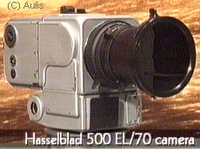 The most disturbing thing I find with NASA's version of events is the fact that they left 12 perfectly functioning Hassleblad 500EL bodies AND their lenses right up there on the moon. Those things are really expensive, so right there, you've gotta think that no one in their right mind would do that. So I reckon NASA must be full of shit.
Oddly enough, whenever I was researching Conspiracy Theories today using Google, my PC would slow right down......kinda like........I am being watched. Hmmm. Other searches were fine.
(you try Googling "Hasselblad" and then "Hassleblad Moon". Check out the time difference - Maybe it's just me). Hmmm.
Wait, there is a knock at the d
Conspiracy Theory wiki
King of the Hill Official site
King of the Hill fan multi-media site
Full Moon Book
Hassleblad site
Michael Moore's site

Some of the more common conspiracy theories are the JFK Assasination, the Fake Moon Landing, 9-11 , The Da Vinci code, UFOs, The Iraq war etc, etc.
Ever watched "King of the Hill"? Well, the character Dale Gribble
is always obsessed by conspiracy theories. He's hilarious.
Here is a collection of Dale Gribble quotes from wikiquote:
- "I blame the media-blamers."
- "Hank, It's 3AM and someone invades your home. How are you going to shoot him?"
- (watching as Bill is pecked by dale's pet falcon) "Oh, he came home."
- "I killed eight gophers last year and a purebred Tennesse walking horse that was looking at me funny."
- (throws a knife and hits a mannequin) "Get away from my wife or next time I'll aim for the mannequin and hit you."
- "Boil up some Mountain Dew; it's gonna be a long night." ("Dog Dale Afternoon")
- "I know what's wrong with it. It's a Ford. You know what they say Ford stands for don't ya? 'Fix it again, Tony'." ("Chasing Bobby")
- (on the Hills' answering machine) "You don't know who I am, but I know where you live sex ed teacher and you better cut it out if you know what's good for you. Oh and Hank, we changed that tee off time to three o'clock." ("Square Peg")
- "I'm the albino indian, deal with it."
- "If you want to elect me, Dale Gribble, president of the Gun Club, running on the Save-Your-Sorry-Ass platform, say aye."
- (to Joseph) "You're like E.T., except E.T. was a purebred alien with a heart of gold. You're only half-alien and at times can be a tad self-centered." ("Of Mice and Little Green Men")
- "Hank, you were right! The Cubans have my mower!" ("Dog Dale Afternoon")
- "I've taken two oaths in my life: One to the NRA, and the other to Nancy Hicks Gribble, nee Nancy Hicks. I stood in front of God and all my friends, vowing to be an honorable and truthful man. So I'm not gonna lie to you, I have felt a small, insect-like attraction for you. But my wife is the greatest woman there ever was!"
- "... sounds like helicopters, UN helicopters". ("Pilot")
- "That's code for U.N. commissars telling Americans what temperature it's gonna be in our outdoors. I say, let the world warm up! See what Boutros Boutros-By-Golly thinks about that! We'll grow oranges in Alaska!" ("Pilot")
- "So it turns out I'm not the actual Dale Gribble, but a clone of him. The original Dale Gribble is a super-warrior from the year 2087. The second me, i.e. I, was created to help the first me fight the invading Mongol armies." ("The Incredible Hank")
- "Hey, I know what's wrong with your truck. It's your quote-unquote 'pollution control'. I heard on talk radio you don't even need 'em. They're just an egghead government plot." ("Pilot")
- "Open up your eyes, man! They're trying to control global warming! Get it? GLO-BAL!" ("Pilot")
- "Whoa! Hold on, son! I want you to keep an open mind so you can make an informed decision! If you want, you can read a bloated government report on smoking, or go straight to the horse's mouth and get the facts from the tobacco industry." (he reads the aforementioned tobacco industry-funded report on smoking)
- "Wingo!"
- "Wait a minute. Every time I leave, you call John Redcorn. I know what's going on here. Your headaches are a desperate bid for my attention. But what do I do? I pawn you off on some Indian healer so I can have my Dale time at the gun club, or breeding show turtles, or on the Internet investigating unexplained phenomenona. God, I am so selfish!" ("Nancy's Boys")
- "SHI-SHI-SHAAA!"
- "They wanted to see me wet my pants from fear... but they're too late!" ("Dog Dale Afternoon")
- "Guns don't kill people. The government does!"
- "Gentlemen, the crap has literally been scared out of me."
- (after drinking tainted beer) "Step on it, Bill! I don't know which way it's coming out, but it's coming out!" ("Beer and Loathing")
- (after a trampoline falls on his foot) "Aah! This is a sign that we have been playing God with Buckley's trampoline and now God is playing God with us and He's a whole lot better at it. I refuse to touch this porthole to hell!"
- (trying to open a locked door): "This door seems to be equipped with some sort of anti-opening device."
- (after seeing Willie Nelson knocked out): "Check his pockets for cigarettes." ("Hank's Got The Willies")
- (after having a muffin knocked out of his hands) MY MUFFIN!!!?!?!?!?!
- (after exhaling a puff of smoke) My throat's on fire!
- (after Dale tells his Falcon to retrieve him a vole, and it immediately attacks Bill)"...So Bill's a vole."
- (Seeing Hank come in with a food dish) Whatd'ya got under the foil Mr. Party Pooper, some party poop? ("A Firefighting We Will Go")
- "I'm too pretty to go to jail!!!"
- "S'GO!"
- (after Hank telling him to come down from a clock tower before someone gets hurt) "Too late, I killed Shackleford! No...wait, correction, Shackleford wants a pizza. (Dog Dale Afternoon)
A few Christmases ago, Mrs T bought me a real high quality book of the NASA photographs
 from some of the apollo missions. Really interesting, I can stare at that stuff for hours, and now that so many people question if the moon landing was actually real, those pics are particularly interesting to look at.
One of the fascinating things about the internet is that people with particular interests in things find it so much easier to research and collaborate with others in pursuit of "The Truth". But, there is so much crap out there also, that we are bombarded with information to the point where basically anything can be proven via sources somewhere on the web.
For example, there are several sites detailing the Fake Moon Landing, such as Cosmicapollo. I was very surprised when I was googling this stuff to find NASA themselves have a fairly decent article on the alleged Hoax also: The Great Moon Hoax
Here is a particularly convincing fake moon landing site.
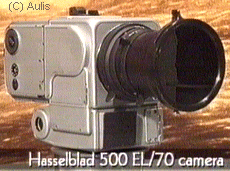 The most disturbing thing I find with NASA's version of events is the fact that they left 12 perfectly functioning Hassleblad 500EL bodies AND their lenses right up there on the moon. Those things are really expensive, so right there, you've gotta think that no one in their right mind would do that. So I reckon NASA must be full of shit.
Oddly enough, whenever I was researching Conspiracy Theories today using Google, my PC would slow right down......kinda like........I am being watched. Hmmm. Other searches were fine.
(you try Googling "Hasselblad" and then "Hassleblad Moon". Check out the time difference - Maybe it's just me). Hmmm.
Wait, there is a knock at the d
Conspiracy Theory wiki
King of the Hill Official site
King of the Hill fan multi-media site
Full Moon Book
Hassleblad site
Michael Moore's site
Tuesday, July 04, 2006
18 Days of Reckless Computing
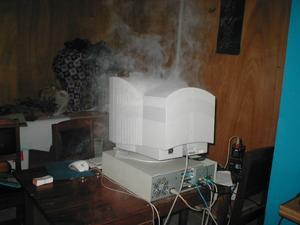
Here's a short article from a guy that deliberately broke all the rules to see what would happen.
Monday, July 03, 2006
The Digital Detectives
Check out this story about Cyber Sleuthing. Bloody interesting.

I believe the internet has become a double edged sword for pedophiles. Initially, it gave them the ability to freely share their information, but we are seeing more and more that the internet is a place that criminals do not want to be and one by one, justice is being served.
These guys are heros...

I believe the internet has become a double edged sword for pedophiles. Initially, it gave them the ability to freely share their information, but we are seeing more and more that the internet is a place that criminals do not want to be and one by one, justice is being served.
These guys are heros...
Tuesday, June 20, 2006
Put another log on the fire
Several years ago I found a program online that contained a database of foods and exercise, and it allowed the accurate tracking of personal nutrition. It was an interesting exercise to do that for a month or so, as it really makes you think about what you are eating.
Yesterday, I did a search and found a 2006 online version called Nutridiary.
I am constantly blown away these days by what is available over the web for free. This online program is no exception. It contains a very respectable database of common foods, each with all the nutritional info. It allows the user to add custom foods (and enter the nutritional info if desired) and to build up meals of common eaten foods. The point being that there is a log feature that allows the user to add food and meals consumed, and track the amount of calories burned thru exercise.
I'm not a nutritional expert (obviously) but it's about as accurate a way of tracking this stuff as I can imagine. The graphs and reports on nutrition, exercise, weight goals etc is easy to use and slick.
A quick free registration, and you're in business.
www.nutridiary.com
Weight loss secrets
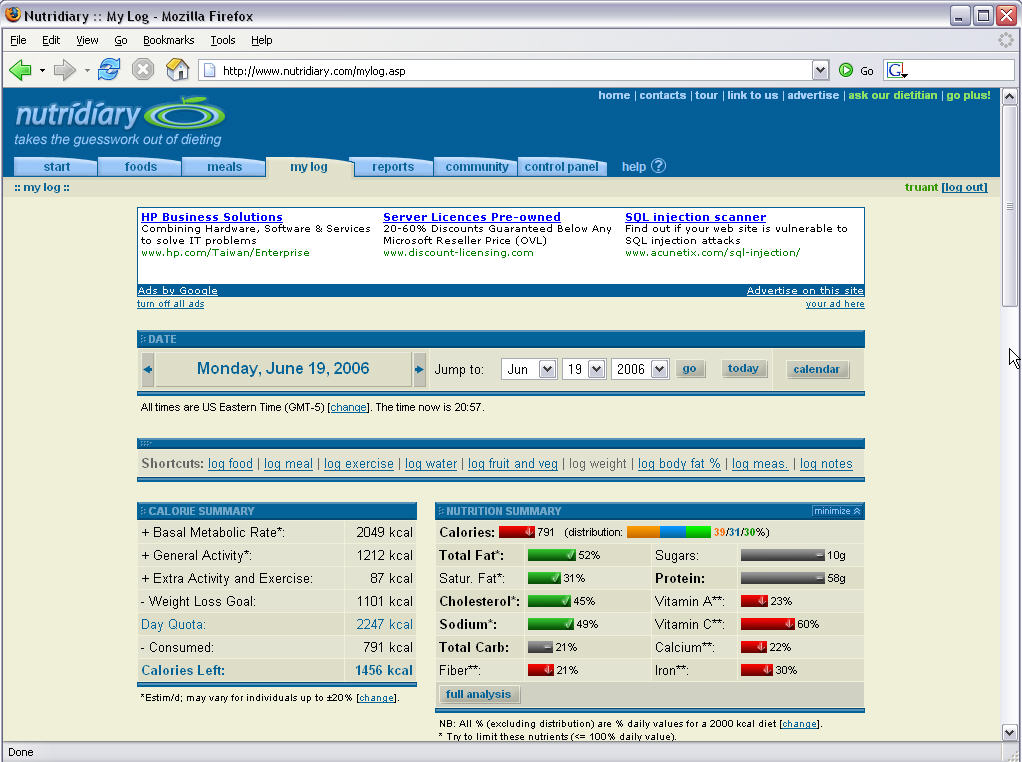 or so, as it really makes you think about what you are eating.
Yesterday, I did a search and found a 2006 online version called Nutridiary.
I am constantly blown away these days by what is available over the web for free. This online program is no exception. It contains a very respectable database of common foods, each with all the nutritional info. It allows the user to add custom foods (and enter the nutritional info if desired) and to build up meals of common eaten foods. The point being that there is a log
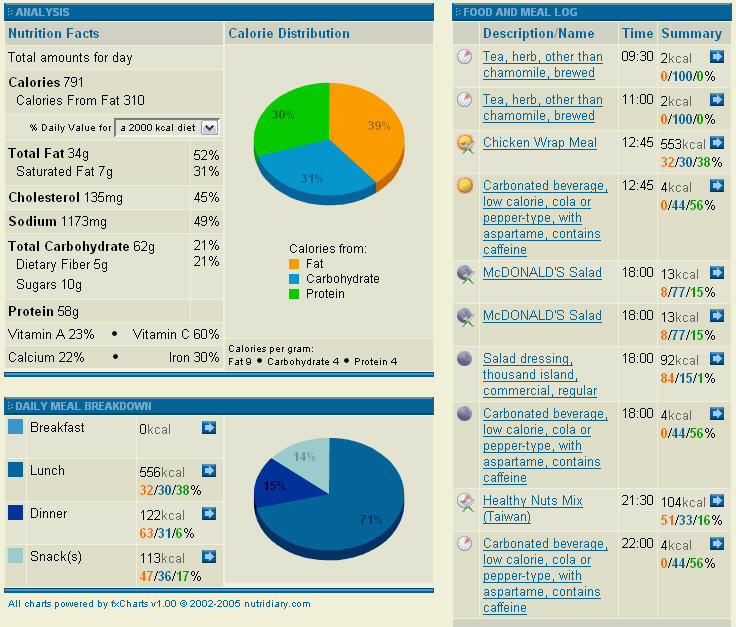 feature that allows the user to add food and meals consumed, and track the amount of calories burned thru exercise.
I'm not a nutritional expert (obviously) but it's about as accurate a way of tracking this stuff as I can imagine. The graphs and reports on nutrition, exercise, weight goals etc is easy to use and slick.
A quick free registration, and you're in business.
www.nutridiary.com
Weight loss secrets
Monday, June 19, 2006
Parannoying
I'm paranoid about some things.
I hate it how when you pay for something with your credit card, they give you a receipt with the numbers ALL on it, including the expiry date. That is just dumb.
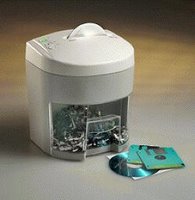
So I bought a small, cheap shredder a couple of years ago and I shred all that stuff.
I mean, think about. If you picked up some random credit card receipt with that info on it, you could go online and start buying stuff. 2 seconds of research on the web might give you a billing address and you're in 'business'. If it was in the trash with a bank statement, wow, hello PRADA.
So, I'm paranoid about that stuff.
What about digital data?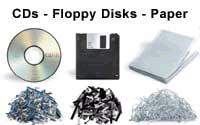 Throwing out a back up CD or DVD that didn't burn correctly or it's out of date? Well, best you destroy that mutha first. I use a huge box cutter and cut the crap out of the surface, and break it up. Old hard drive? Drilling practice.
I see some shredders now have CD/DVD shredding to crunch it up into bits...that's cool.
Anyway, check out this story. It's quite funny, but it goes to show what can happen if an old hard drive gets into the wrong hands, and more importantly that a little privacy paranoia is not a bad thing.

I hate it how when you pay for something with your credit card, they give you a receipt with the numbers ALL on it, including the expiry date. That is just dumb.
So I bought a small, cheap shredder a couple of years ago and I shred all that stuff.
I mean, think about. If you picked up some random credit card receipt with that info on it, you could go online and start buying stuff. 2 seconds of research on the web might give you a billing address and you're in 'business'. If it was in the trash with a bank statement, wow, hello PRADA.
So, I'm paranoid about that stuff.
What about digital data?
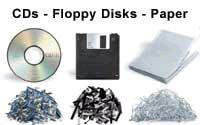 Throwing out a back up CD or DVD that didn't burn correctly or it's out of date? Well, best you destroy that mutha first. I use a huge box cutter and cut the crap out of the surface, and break it up. Old hard drive? Drilling practice.
I see some shredders now have CD/DVD shredding to crunch it up into bits...that's cool.
Anyway, check out this story. It's quite funny, but it goes to show what can happen if an old hard drive gets into the wrong hands, and more importantly that a little privacy paranoia is not a bad thing.

Saturday, June 10, 2006
Video killed the Jpeg star
Everyone's got broadband now it seems, and gone are the days of waiting for pictures to load on webpages.
Videos are all the rage now, with several video hosting communities now very popular.
One I see coming up more and more is youtube.com
You can search for whatever you like, and there are home-made movies, funny clips, favourite moments, you name it.
Here's a great clip:
http://www.youtube.com/watch?v=Qn6MvtomrsA
Check it out, it's a awesome clip of MotoGP highlights. Even if you're not into bike racing, this is really worth a watch. Check out these guy's wheeling and 2 wheel drifting like they do it aaaaall day. You'll see Valentino Rossi feature quite a bit (number 46) Rossi is to MotoGP what Ayrton Senna was to F1. He is the man.
Youtube.com
Videos are all the rage now, with several video hosting communities now very popular.
One I see coming up more and more is youtube.com
You can search for whatever you like, and there are home-made movies, funny clips, favourite moments, you name it.
Here's a great clip:

http://www.youtube.com/watch?v=Qn6MvtomrsA
Check it out, it's a awesome clip of MotoGP highlights. Even if you're not into bike racing, this is really worth a watch. Check out these guy's wheeling and 2 wheel drifting like they do it aaaaall day. You'll see Valentino Rossi feature quite a bit (number 46)
 Rossi is to MotoGP what Ayrton Senna was to F1. He is the man.
Youtube.com
Sonicrave
I have been reading a website for about 3 years now, by a guy Rob Cockerham. The site is www.cockeyed.com. It's an interesting site full of pranks, weird experiments and lost of interesting trivia type stuff.
One of my favorite stories is the one when he tried to win a Chevy Trailblazer. Especially the Epilogue on page 3.
 Anyway, he has just done a blurb on 4 awesome products and the second one he chose, was the Sonicare Toothbrush. Recently, Joyce was raving about the orgasmic Sonicare also. Both these people are semi-insane, so I take them seriously.
I had to go get one of these Sonicare toothbrushes for myself.
Firstly, I have already got a Braun Electric toothbrush and 2 days ago, I thought to myself why would I possibly need another electric toothbrush?
Rob said "If you don't have a Sonicare right now, get one when you get paid, or ask for one on your birthday. They will change your life, and probably save you money at your dentist."
Joyce said "oh,oh,ohhhhhhhhhhh.......It's the best money I've ever spent"
So that was it, I went to the 3C and got one. They had three models, but the guy subtlely pointed out the NEW model, the e7300 elite. (like I was ever going to buy any other model)

Well, firstly....it is friggen amazing....and orgasmic. They were not lying to me. I used it 6 times the first night.
So why is it so good? Let me explain. My last braun toothbrush died about 6 months ago, and when I got a new one I took the old one to bits. There wasn't much to it, just a ni-cad AA battery core and a 50 cent electric motor in it, like slotcar motor, only cheaper. They was a plastic cam arrangement (and egg shaped thing) that coverted the rotary motion into a back-and-forth jiggle. That's it. Oh yeah, and a clickclack switch to make it all happen. This is 1910 technology, people.
I haven't take the Sonicare apart (yet) but my observations indicate a few things. It has a signal type activation button, no click clack. It has beeps, it had multicolored status LEDs and programmable timer. This in DIGITAL baby - A friggen computer.
(Philips is the company that invented the CD, so it's hardly surprising)
Apart from that, it uses a classy induction charger and they say it lasts for 2 weeks between chargers, so they include a nice travel case with it - for your up-to-2-week holiday.
I have no idea what the technology is that makes the sonic head do it's digital-sonic thing, but it's amazing. I have never had teeth so clean, so easily.
So there you go. Rush out and buy one of these. It's really expensive, but if it saves one trip to the dentist, it's paid for itself like that, and I am convinced it will.
Sonicare e7300 Elite website
Cockeyed.com
One of my favorite stories is the one when he tried to win a Chevy Trailblazer. Especially the Epilogue on page 3.
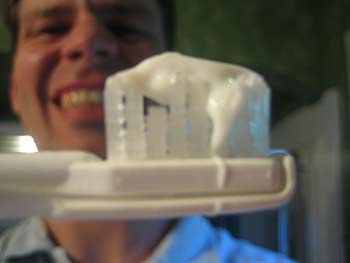 Anyway, he has just done a blurb on 4 awesome products and the second one he chose, was the Sonicare Toothbrush. Recently, Joyce was raving about the orgasmic Sonicare also. Both these people are semi-insane, so I take them seriously.
I had to go get one of these Sonicare toothbrushes for myself.
Firstly, I have already got a Braun Electric toothbrush and 2 days ago, I thought to myself why would I possibly need another electric toothbrush?
Rob said "If you don't have a Sonicare right now, get one when you get paid, or ask for one on your birthday. They will change your life, and probably save you money at your dentist."
Joyce said "oh,oh,ohhhhhhhhhhh.......It's the best money I've ever spent"
So that was it, I went to the 3C and got one. They had three models, but the guy subtlely pointed out the NEW model, the e7300 elite. (like I was ever going to buy any other model)
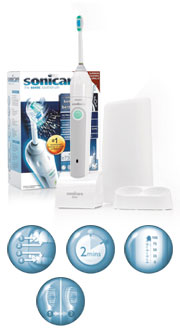
Well, firstly....it is friggen amazing....and orgasmic. They were not lying to me. I used it 6 times the first night.
So why is it so good? Let me explain. My last braun toothbrush died about 6 months ago, and when I got a new one I took the old one to bits. There wasn't much to it, just a ni-cad AA battery core and a 50 cent electric motor in it, like slotcar motor, only cheaper. They was a plastic cam arrangement (and egg shaped thing) that coverted the rotary motion into a back-and-forth jiggle. That's it. Oh yeah, and a clickclack switch to make it all happen. This is 1910 technology, people.
I haven't take the Sonicare apart (yet) but my observations indicate a few things. It has a signal type activation button, no click clack. It has beeps, it had multicolored status LEDs and programmable timer. This in DIGITAL baby - A friggen computer.
(Philips is the company that invented the CD, so it's hardly surprising)
Apart from that, it uses a classy induction charger and they say it lasts for 2 weeks between chargers, so they include a nice travel case with it - for your up-to-2-week holiday.
I have no idea what the technology is that makes the sonic head do it's digital-sonic thing, but it's amazing. I have never had teeth so clean, so easily.
So there you go. Rush out and buy one of these. It's really expensive, but if it saves one trip to the dentist, it's paid for itself like that, and I am convinced it will.
Sonicare e7300 Elite website
Cockeyed.com
Monday, March 06, 2006
Sam, you ARE the man!

Meet Sam Morgan.
Back in 1999, Sam decided to drop out of school and start an internet auction site, called trademe.co.nz.
Not long after it started, I signed up along with my best friend Marty. Back in those early days we were wheeling and dealing all sorts of stuff, and would bid on each other's stuff to get the price higher and all that. At that time, trademe was so small that I remember the team was just 1 or 2 people and I'd get emails from Sam himself from time to time. We were like pioneer traders in NZ, ha.
When I left NZ, Marty continued to buy and sell lots of stuff on trademe (and still does), but for me things went a bit quiet for me there for a while.
When we were living in Singapore, I found a music shop that sold all the good gear, like Gibson, Fender, and Epiphone Guitars.
As it was, the retail price of stuff at that shop was about 50% what it was in NZ, so I spied an opportunity with trademe.
I talked to the shop and got a trade account, which bumped the low price even lower, and I started to buy Guitars in 2s and 3s. What I would do is take them out of the box and photograph them at all angles and close up etc. Then I'd pack them into a proper guitar hardshell case, and cover it all with cardboard.
I went to the post office down the road and airfreighted them individually back to NZ, and listed them on Trademe. They were hot selling items.
Along with the auctions and a few word of mouth spinoffs and special orders, I sold about 11 or 12 guitars before a few things put the brakes on it: Tax & Import customs, Traders who bought but changed their mind and then tried to claim the guitars were fakes etc (what a hassle to sort out), and then the move away from Singapore to Taiwan.
I was approached by a couple of guys that wanted to start a parallel import business, but to be honest, I don't think making a business out of pure undercutting will ever work long term unless it is on a massive scale.
It was fun, and I learned a lot...and actually made a respectable amount of cash...But look at Sam. In 1999 at 23, he started with a borrowed laptop and an idea. It wasn't a new idea. The site wasn't really that complex or flashy. Just a no bullshit, simple site that was reliable.
Today he sold it for 700 million dollars. 700 MILLION dollars.
 And he gets another 50 millon if some targets are met in the next 2 years. And he gets to keep his job - and I bet he's not just getting 5 bucks an hour.
Man, 700 million at the age of 30.....what am I doing?
Today's News Release
Small Bio
Bigger Bio
Good Wiki Article
A book about Trademe secrets
Wednesday, March 01, 2006
I don't like the name blog
...but that is the terminology. After years of thinking blogs were kinda cheesy, here I am writing in one right now.
So why do it then? Well, I enjoy writing things to share sometimes, and othertimes I just like to capture a moment or thought. Pictures help too, so the plan is to use plenty of pics.
I have thought about it for a while, and it took me a while to get going cos I was looking for some blog software that had categories....
....like these here ->
Mostly it is impossible to find categories and all that on free blogs, and I am too tight to pay $4.95 a month for the good stuff, so I found a hack on the blogger help about setting up categories. Ta Da. (Edit: This is now irrelevant as Blogger now has labels. Woo Hoo.)
I hope you like them, well I hope I do mostly.
I am also not sure about this look and feel. It's O.....K..... but it's good to fiddle with HTML now and then so don't be surprised if I change this.
Let's see how this goes. I am feeling positive. Today.
So why do it then? Well, I enjoy writing things to share sometimes, and othertimes I just like to capture a moment or thought. Pictures help too, so the plan is to use plenty of pics.
I have thought about it for a while, and it took me a while to get going cos I was looking for some blog software that had categories....
....like these here ->
Mostly it is impossible to find categories and all that on free blogs, and I am too tight to pay $4.95 a month for the good stuff, so I found a hack on the blogger help about setting up categories. Ta Da. (Edit: This is now irrelevant as Blogger now has labels. Woo Hoo.)
I hope you like them, well I hope I do mostly.
I am also not sure about this look and feel. It's O.....K..... but it's good to fiddle with HTML now and then so don't be surprised if I change this.
Let's see how this goes. I am feeling positive. Today.
Subscribe to:
Posts (Atom)
