Wednesday, May 02, 2007
Friday, April 27, 2007
Planet Gmail
What is strange about this screen shot from my gmail inbox?
 The email dates are old. Really old. In fact so old they are from before Gmail was even invented.
As mentioned earlier, after a bit of searching, I have found out a way to put all my old Microsoft Outlook based emails on Gmail - but not only that, have them stored with the correct delivery date and original sender information.
Some people may not care about the significance of this, some will be put to sleep by it, others will find this information ecstaticly exciting and useful. For those 3 people out there, here are the steps to do it...
1. Use Outlook to open your old mail file (if you use Outlook Express, skip this step)
What you need to do here is have a clean out and a tidy up, if you haven't already. In Gmail, you will have to adopt the 'search not sort' mentality, so any folders in Outlook will need to be replaced with labels in Gmail. (But that's ok. I Gmail a message can have more than one label. With folders, it's either in the folder or not.)
Once all clean and tidy, you can close Outlook. For good.
2. Open Outlook Express
Use the menu to import your mail from MS Outlook. It's a reasonbly fast process, and may seem unnecessary, but later steps work faster if Outlook mail is converted to Outlook Express.
3. Install a local host mail server
Yeah yeah, I know, this kinda freaked me out too, having never done this stuff before. But, it was pretty easy using Macallan Mail Server (free). Make sure you go into the users tab and create yourself a mailbox, and assign a password. Takes a few minutes to do this whole step (seriously).
4. Install Mozilla Thunderbird
From the people who brought you Firefox, here is Thunderbird, a free email front end. Once you have Thunderbird installed, you need to download the redirect extension. Install the extension to Thunderbird by going Tools>Add-ons>Install, and browse to the redirect extension and install it.
You then need to add the mailbox you created on the mail server to Thunderbird in the accounts setup.
5. Import Outlook Express emails into Thunderbird
This is pretty straight forward. Tools>import>outlook express. Takes a short time to process.
Pretty soon we will be uploading emails from thruderbird to the web.
6. Create a temporary Gmail account
If you upload your emails directly to you main Gmail, you'll find the 'received date' will be wrong. It will be the actual date (i.e. now) your main Gmail received it.
But, if you upload your emails to a temporary Gmail account, and then use Gmail's Mailfetcher to POP them over to your main Gmail account then miraculously the dates are corrected back to the original.
So, create a temporary Gmail account, and in settings>Forwarding and POP: enable POP for all mail. Also, select the 'delete Gmail's copy' so it's really easy to see if there are any remaining emails in the temporary account that need to be retrieved by the main Gmail.
7. Upload old email
Go into Thunderbird and select a folder to upload. (It's highly recommended to upload your old emails in folder lots so you can easily create lables for them in Gmail once they have arrived. Then repeat the upload process for another folder.)
Anyway, open a folder, and select ALL emails in it. Choose Message>Redirect and enter the email address of your temporary Gmail account.
I'd suggest you practice with a small folder first.
The redirect(upload) step may take some time, depending on your upstream speed on your internet connection. It's the sort of thing you can let churn away while you sleep.
8. Retrieve old email from temporary Gmail account to main Gmail account.
If you log into your temporary gmail account, you should see your uploaded emails (give it time, of course). Go into your spam folder and select>ALL and hit the "Not Spam" button. For some reason about half of my uploaded mail ended up in the spam folder (maybe the old date confuses it or something).
Once you have all your uploaded emails (remember just one folder worth) in your temporary Gmail account inbox, we can do the last part.
Log into your main Gmail account (I find it easier to use different browsers for each, like IE for my temp gmail and Firefox for my main gmail) .
Go to settings>accounts>get email from other accounts.
Click Add account, and put in your temporary gmail account details here. You should just need to add the login ID and password, and leave the other settings as they are.
Click save settings.
Now, your main Gmail account will periodically check your temporary Gmail account and retrieve any messages from the inbox. Generally, it will do it in 200 email batches every so often, but you can go into the accounts page and force more checks.
9. Tidy up and label Old emails
Your main gmail account will be receiving the old emails in it's inbox. Once again, you have to also check your spam folder and move those emails to inbox also. (it pays to empty out your spam folders before doing all this)
Once done, you will see Inbox(125) or similar in bold, indicating unread emails, but this time your inbox has been correctly sorted with the original sent date. This means you have to click on 'oldest' to see them.
An easier way is to use 'search options' up the top, and choose 'Search: unread' and hit search without any other criteria. Select ALL messages, and then the 'Choose ALL'
Label these mails according to the folder name. Then select 'mark as read', and then select 'None'.
That's it. If you now go and have a look, your old emails are now in Gmail in the exact format they would be if they were sent there years ago. The dates are correct, as is the sender info etc etc.
Repeat steps 7-9 with each folder, allowing enough time for the emails to travel to their destination before continuing.
Yes it takes time, but once each folder is set going you can leave it.
Gmail Archive
Once you have got all your old emails in your main gmail account, you may like to archive them. You can select whichever mails you would like to archive using lables or searchs, and then hit the 'Archive' button.
This will remove them from the main inbox view, but they will still be searchable. If you need to browse thru archived mail, just select 'All Mail' on the left.
If you are super paranoid, you can periodically use a Gmail archive utility to download a copy of your mails to burn to a DVD....or you can use the POP facility to download to a HDD.....or you can use the mail fetcher to put a copy onto an second 'archive' gmail. (just select 'leave a copy in my inbox' on your mail gmail...ha)
Enjoy.
This post was only made possible with information I found here (the mail server thing),
and here(the temporary gmail account concept)

Safekeeping
My mission is to get ALL on the stuff I care about OFF my computer.
I am in the process of putting all my MP3s, Photos and Videos (mainly AVI copies of my DVDs) onto Network Storage device (AKA Portable hard drive hooked up to my home network). That way, PC's on my home network(up to 4: [1 decent one,1 semi decent, 2 shitters] in various places now) can access that stuff, which is pretty handy (think: choosing a DVD to watch in bed on the laptop wirelessly, accessing the whole MP3 library wirelessly, sharing some photos on the TV etc etc - all at the same time.)
So that is the media taken care of. What about emails? MS Outlook famously sucks at not easily allowing multiple machines to access a single Outlook account. I decided that online mail WOULD allow multi location (simultaneously if needed)access to a common email account, which is just one reason I have converted the whole Truant house to Gmail.
I have been raving about Gmail for a while and after 18 months or so of using it I am convinced that it's actually safer to keep stuff like emails and documents online as opposed to locally on your own computer. The main advantages for me is now I don't need to worry about backing up my data if/when my PC crashes. Sure, I could run RAID and be more diligent with backing up stuff, but after a while having DVDs of data sitting around isn't exactly ideal either - you could lose it, or it could fall into the wrong hands. Anyway, I digress.
But what about the OLD outlook emails? Wouldn't it be nice to put them on my Gmail so I can really get rid of all that old stored stuff?
After a bit of investigation I found out how to do it. I mean properly, not some half assed 'forwarding' type of solution.
Friday, March 30, 2007
Scroobius Pip vs Dan Le Sac
First one is the official music video, which features some really clever, but subtle, video tricks.
The second one is the live version. Check out Dan Le Sac on his Apple Notebook with some other gadget attached to it. Sounds pretty cool.
Monday, January 22, 2007
How to: Picture Signature in Gmail
I like the fact that it's online, so it's automatically backed up/archived online without me ever having to stress out about my pc crashing or losing contacts etc etc.
It's also great for being able to log into from multiple machines anywhere on earth and do emailing (try doing that with Outlook)
It just gets better and better, but there is one thing that Gmail has been lacking since day one: HTML authoring or embedded picture signatures. Or HAS it been lacking????

So, here is the solution:
Firstly the set up.
1. Host a picture online. Make sure it isn't too big and host it at photobucket or imageshack or flickr etc, or put it on your own domain somewhere
2. Use a text editor such as notepad or wordpad (or a WYSIWYG editor like Dreamweaver, front page or Google Page Creator) to create an html file.
If you have never done that before, in XP go: start>programs>Accessories>Notepad
Put this code into the editor:

Then save the file to your desktop as "my_signature_file.html"
How to use it?
Once you have this file, whenever you want to embed this signature pic to a new email, just open the file, and use your mouse to select and drag the picture over to your new gmail window.
Another way is to open the file then ctrl-A (or edit>select all), then ctrl-C (or edit>copy) and then go to your gmail window and ctrl-V (or edit>paste)
That's it. Oh by the way, if you want to include some text in the html file along with the picture, that is not a problem and it will all come over together.
Wanna know a dirty little secret? You can also drag ANY image from ANY website. How about THAT!!
Wednesday, January 17, 2007
Sketch Furniture
First up is Sketch Furniture.

The four FRONT members have developed a method to materialise free hand sketches. They make it possible by using a unique method where two advanced techniques are combined.
Pen strokes made in the air are recorded with Motion Capture and become 3D digital files; these are then materialised through Rapid Prototyping into real pieces of furniture.

I really like the concept. Just not sure I'd like to look at a scribble in my living room for any length of time. (unfortunately, the youtube video is no longer up - that would have been interesting I am sure)
http://www.frontdesign.se/sketchfurniture/
Monday, October 16, 2006
Incredible learning tool
Friday, September 29, 2006
Sir Frank would be impressed

As part of my engineering training in the RNZAF, I spent many hours studying how jet engines and the components that hang off them work, including rebuilding a jet engine to pass the course.
When I was working as a Aircraft Technician specializing in A4 Skyhawks, I was lucky enough to be a high power Jet Engine tester, which meant it was one of my jobs to sit in the cockpit of the recently serviced Fighter Jet and take the engine thru a test routine, which included going over 100% throttle while the jet was held back by a single (but big) chain. Slamming the throttle as fast as possible to test spool times was something I had to do - can you imagine that? It's really a difficult thing to describe, but sitting perhaps 2 meters in front of a Jet engine that is making a noise that can be best described as
 TERRIFYING HOWLING is extremely noisy, scary, exhilerating if not down right stupid...It sure gives some sense of importance in needing to put it together right.
Watching a jet go past in the sky is one thing, but try standing beside a jet at full noise and see what it is like. Now sit IN it......crazy.
I still think of my time working on A4s as a career highlight. That was a time I bolted out of bed to go play....er.... I mean work.
Check out this ( from the BBC)
Engine on a chip drives laptops
It is one of the most hotly contested and closely watched areas of research - how to provide the most efficient energy source for the mobile devices we carry with us.
 Each component is made on silicon wafers
Batteries and fuel cells are established contenders to power laptops and mobile phones, but now researchers at the Massachusetts Institute of Technology (MIT) have come up with a novel approach to the power conundrum - by building an engine on a chip.
Gas-turbine engines more normally power whole cities but MIT's Professor Alan Epstein was determined that miniscule versions could be used to "power a person".
Ten years on from having the brainwave, Professor Epstein believes the microengine could give batteries a run for their money, offering 10 times the power of a battery of the same weight at the same price point.
"A laptop that will run for three hours on battery charge will run for 15 to 20 years using the microengine and it should end up costing no more than current batteries," said Professor Epstein.
He believes it could be available commercially within three to five years.
Tiny scale
It has been a long road for Professor Epstein and his team of 50 other staff and students.
"When I first told people that I wanted to build a gas-turbine the size of a 50p piece they fell off their chairs laughing," he told the BBC News website.
But with the experts needed to make his vision a reality just a stone's throw from his office at MIT, it didn't take long to persuade them that he wasn't joking.
"A few days later they would call back with a way to do things and then they were hooked," he said.
So how exactly does one set about making a tiny fuel-burning engine? A compressor, a combustion chamber and a spinning turbine are all essential parts but obviously cannot be made in the conventional way on such a tiny scale.
So the team had to use etched silicon. The resulting microengine is made up of six silicon wafers piled on top of each other and bonded together.
To bring down costs, up to 100 components are made on one large wafer and cut into individual units.
The process begins with a tiny combustion chamber where fuel and air mix and burn at the melting point of steel. Turbine blades spin at 20,000 revolutions per second - 100 times faster than those in jet engines.
Fun process
 The finished microengine fits in Prof Epstein's palm
A mini-generator produces 10 watts of power and a tiny compressor raises the pressure of air in preparation for combustion. The cooling process is managed by sending the compression air around the outside of the combustor.
Separately it has been proved that all the parts work so the challenge now is to test an integrated chip.
According to Professor Epstein, this should be done by the end of this year but it won't be easy.
Each microengine will be on a single piece of silicon so there is no margin for error. One tiny mistake in a single component would mean starting from scratch, and if anything needs to be changed, the whole design process would be back to the drawing board.
The journey so far has been "an astonishing amount of fun", said Professor Epstein, although, as with many projects, threw up surprising problems.
"What we thought was going to be hard, wasn't, and the things we hadn't thought about were the biggest problems," he told the BBC News website.
"We thought the combustor would be one of the hardest things but in fact it turned out to be the manufacturing of the bearings that was more difficult," he said.
Steam-powered laptops?
While Professor Epstein has lived and breathed his project for the last 10 years, he is aware that there is plenty of competition around.
Batteries are improving all the time, while announcements about advances in fuel-cell technology are regular and closer to commercial reality.
What technique wins out will ultimately be down to what consumers find most satisfactory.
"The users don't care about what powers their laptop. Whether it is chemistry or thermodynamics is a mere detail," he said.
The idea of engine-powered laptops may seem outlandish but research is ongoing to put other types of engine on chips, according to Professor Epstein.
As well as millimetre-scale combustion engines, there is also the possibility of laptops powered by steam engine - which would perhaps be the ultimate collision between old and new technologies.
Link to BBC Story
Wiki about that 'Whittle' guy
Wiki about the A4 Skyhawk
Royal New Zealand Air Force
ATSI, Arizona
Thursday, September 21, 2006
USB everything?
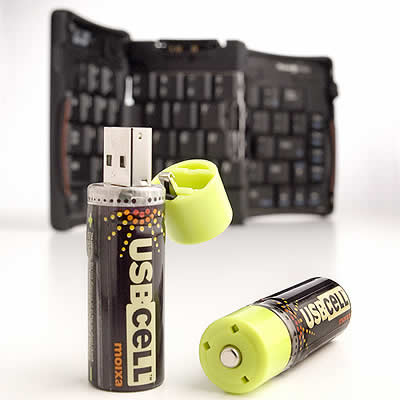
USBcell website
Monday, September 11, 2006
Everyone needs a leather notebook
Well, yesterday we finally decided to go and have a look a buying a replacement notebook for our ailing Compaq 1500AP. It has served us well....er actually, not that well, but it has served. From the word go, it's always overheated, randomly crashed, weighs a ton, the battery is dead and isn't really that much to look at either. A few months ago it was sitting on the arm of the couch and I was chasing Jack the dog around and round the couch....or was it him chasing me?
 I can't remember, but, eventually in all the excitement, someone knocked the 4 year old P.O.S off it's perch. "Ah HAAAAAA!!!!" I yelled at it. "There you go you piece of shit!". I could sense the tears of joy welling up in my eyes as I contemplated setting fire to it.
But it kept going. The screen was ok even. There were a couple of cracks on the lid, and the wireless PC card was smashed, but it still worked fine. Even the wireless did, damn it.
Anyway, the Art Director at Truantville, suggested perhaps it is time we got a new notebook (actually it was me, relentlessly mentioning it, but the "Art Director" sounds better)
So yesterday we ran the
 gauntlet of Laptop stores at Guang Hua Computer Market in Taipei. In the Pissing Rain.
It seemed that the best machine for what we need was the Asus W6F. Nice. Dual Core CPU, 100 GB HDD, 1 GB RAM, Super DVD Burner, Widescreen...blah, blah, blah. Here is a link to the Asus W6F details.
I say "seemed" and "was" because as we were about to leave the store, the Art Director spotted the S6.
I have to admit, if all things were equal (Namely, er, the PRICE)
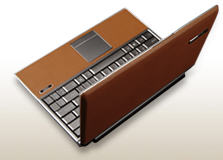
 then I'd like to get that too, but it is almost 50% more than the W6F. But what a work of art....it's a very hig
 h-end machine in specification but what people like Art Directors notice is not how high-end it is, but the LEATHER all over it.
Oh shit, I just noticed they do the W6Fp-, which is a leather version of the W6....oh dear.
Asus website
Tuesday, July 04, 2006
18 Days of Reckless Computing
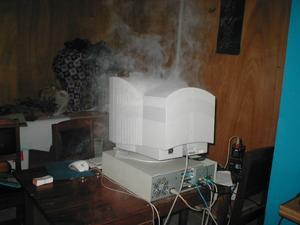
Here's a short article from a guy that deliberately broke all the rules to see what would happen.
Monday, July 03, 2006
The Digital Detectives

I believe the internet has become a double edged sword for pedophiles. Initially, it gave them the ability to freely share their information, but we are seeing more and more that the internet is a place that criminals do not want to be and one by one, justice is being served.
These guys are heros...
Tuesday, June 20, 2006
Put another log on the fire
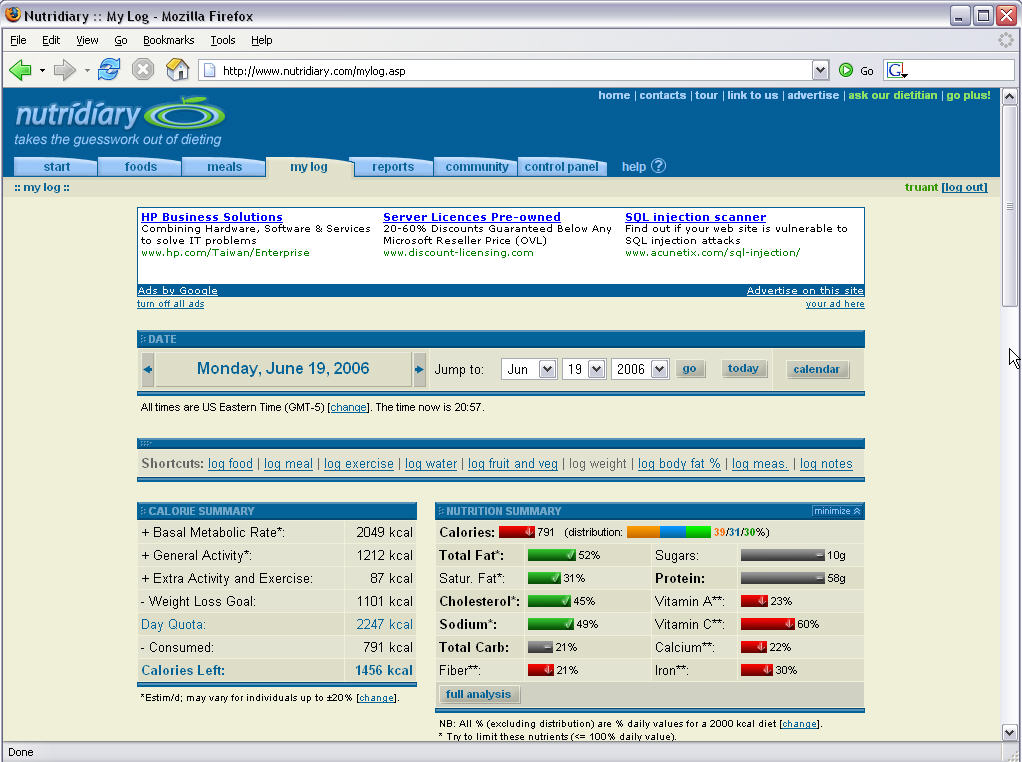 or so, as it really makes you think about what you are eating.
Yesterday, I did a search and found a 2006 online version called Nutridiary.
I am constantly blown away these days by what is available over the web for free. This online program is no exception. It contains a very respectable database of common foods, each with all the nutritional info. It allows the user to add custom foods (and enter the nutritional info if desired) and to build up meals of common eaten foods. The point being that there is a log
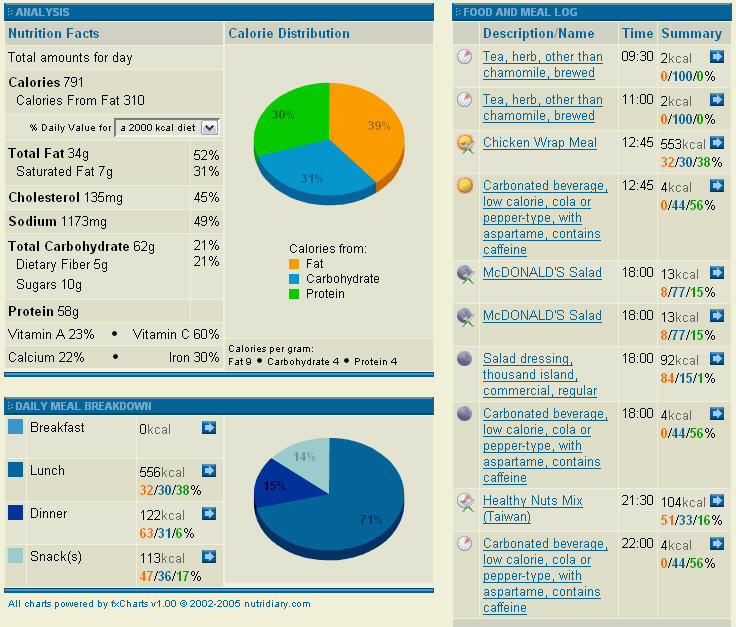 feature that allows the user to add food and meals consumed, and track the amount of calories burned thru exercise.
I'm not a nutritional expert (obviously) but it's about as accurate a way of tracking this stuff as I can imagine. The graphs and reports on nutrition, exercise, weight goals etc is easy to use and slick.
A quick free registration, and you're in business.
www.nutridiary.com
Weight loss secrets
Monday, June 19, 2006
Parannoying

I hate it how when you pay for something with your credit card, they give you a receipt with the numbers ALL on it, including the expiry date. That is just dumb.
So I bought a small, cheap shredder a couple of years ago and I shred all that stuff.
I mean, think about. If you picked up some random credit card receipt with that info on it, you could go online and start buying stuff. 2 seconds of research on the web might give you a billing address and you're in 'business'. If it was in the trash with a bank statement, wow, hello PRADA.
So, I'm paranoid about that stuff.
What about digital data?
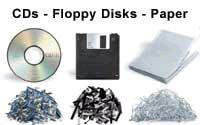 Throwing out a back up CD or DVD that didn't burn correctly or it's out of date? Well, best you destroy that mutha first. I use a huge box cutter and cut the crap out of the surface, and break it up. Old hard drive? Drilling practice.
I see some shredders now have CD/DVD shredding to crunch it up into bits...that's cool.
Anyway, check out this story. It's quite funny, but it goes to show what can happen if an old hard drive gets into the wrong hands, and more importantly that a little privacy paranoia is not a bad thing.